
Publicado: 8 de mayo de 2026
Última actualización: 8 de mayo de 2026
Cuándo pasar de n8n a software a medida
n8n puede ser un excelente punto de partida. Ayuda a los equipos a conectar APIs, probar pasos de IA, enrutar datos y entender qué debe hacer el flujo de trabajo.
Pero un flujo de n8n que funciona no siempre es el producto final. En el momento en que un flujo de trabajo es responsable de ingresos, de la confianza del cliente o de obligaciones de auditoría, las mismas características que hicieron rápido a n8n se convierten en las restricciones que lo hacen arriesgado.
Quédate en n8n mientras el flujo de trabajo sigue aprendiendo
Mantén el flujo en n8n mientras el equipo siga respondiendo preguntas como:
- ¿Qué trigger importa?
- ¿Qué campos de la API son fiables?
- ¿Qué estructura de prompt funciona?
- ¿Dónde encaja la revisión humana?
- ¿Qué casos de fallo ocurren a menudo?
Esto es trabajo de descubrimiento. Un constructor de flujos es un buen sitio para hacerlo.
Qué aspecto tiene "seguir aprendiendo" en la práctica: el equipo puede describir el flujo de trabajo en una pizarra en cinco minutos, la especificación cambia cada semana y una ejecución rota es una ocasión para aprender, no un incidente. En esas condiciones, la velocidad de n8n compensa con creces. Pasar a código demasiado pronto solo frena el descubrimiento y fija supuestos que luego resultan estar equivocados.
Migra cuando el flujo de trabajo se convierte en un sistema
Pasa a software a medida cuando el flujo de trabajo necesita:
- Una interfaz para clientes o usuarios internos
- Control de acceso basado en roles
- Propiedad del código fuente
- Separación de entornos
- Tests automatizados
- Logs, alertas e historial de auditoría
- Despliegue y rollback claros
- Mejor rendimiento o control de costes
Son preocupaciones de software, no solo de automatización.
Señales concretas que deberían abrir la conversación de migración:
- Una persona que no construye el flujo necesita operarlo. El revisor, el agente de soporte o el responsable de operaciones necesita una UI enfocada, no el editor de n8n.
- Los permisos importan. Roles distintos necesitan vistas distintas; el acceso tiene que registrarse por cumplimiento.
- Hacen falta tests. Un cambio en un nodo no debería exigir una prueba de humo manual de todo el flujo. Los tests unitarios, los tests de integración con fixtures y los checks de CI pasan a ser obligatorios.
- Los despliegues deben ser repetibles. Staging y producción deben converger automáticamente, no por copia y pega.
- El volumen ha crecido. Lo que funcionaba a 50 ejecuciones/día cruje a 5.000. El coste por ejecución, la profundidad de la cola y las tormentas de reintentos se vuelven problemas visibles.
- Ha llegado la auditoría. Un regulador, un revisor de seguridad o el equipo de compras de un cliente quiere ejecuciones reproducibles, logs retenidos y un diagrama de arquitectura.
- El flujo tiene lógica de negocio que solo entiende una persona. El bus factor es uno. Eso, por sí solo, ya es motivo para migrar.
La migración no tiene por qué ser grande
La primera migración puede ser pequeña. Extrae una ruta probada de n8n y reconstrúyela como API, cola, pantalla de administración o servicio.
Un patrón práctico de migración strangler-fig:
- Elige la ruta más estable y más crítica para el negocio. No la más compleja: la que mejor se entiende y la que más cuesta cuando falla.
- Reconstrúyela como un pequeño servicio a medida. Entrada/salida tipadas, idempotente, con logs, tests y una ruta de despliegue clara. Limita el alcance a esa única ruta.
- Ejecútalos en paralelo. Tanto n8n como el nuevo servicio reciben la misma entrada. Compara las salidas en una tabla
runsdurante un periodo definido (a menudo 1-4 semanas). - Haz el cambio con un feature flag. Cuando las salidas coincidan, enruta el tráfico real al nuevo servicio. Deja el flujo de n8n como respaldo activo.
- Migra la siguiente ruta. Repite. Resiste la tentación de "reescribirlo todo". Cada ruta migra con sus propias pruebas.
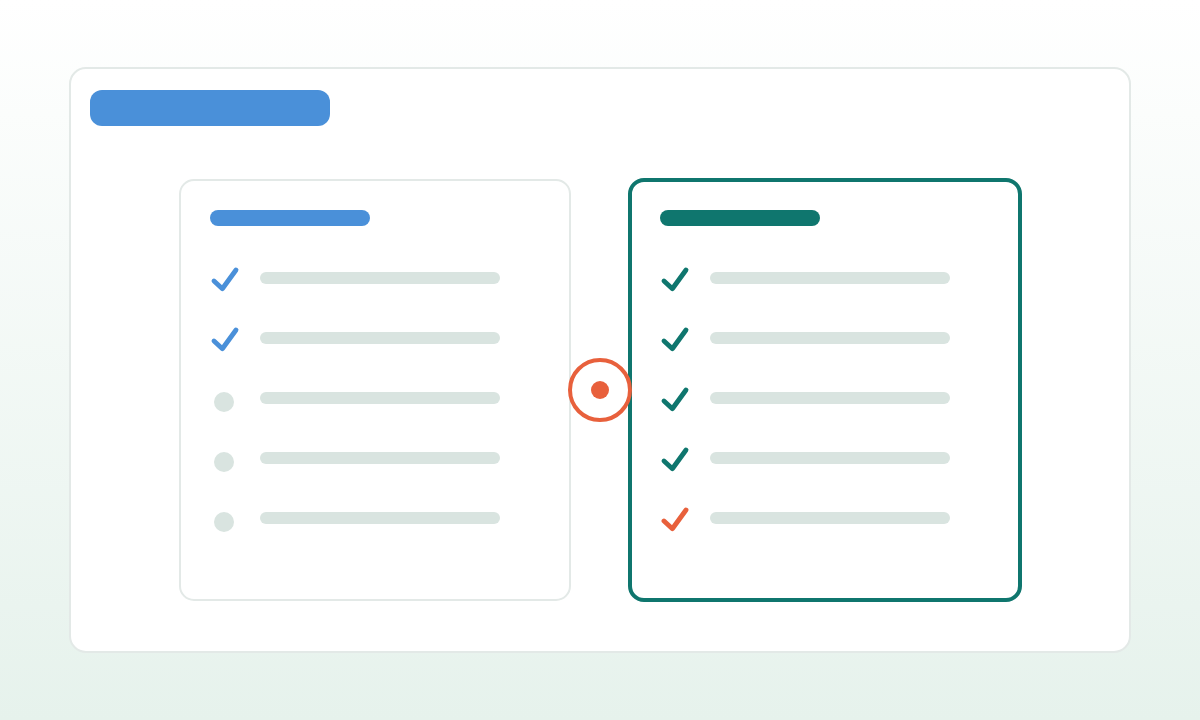
Ejecuta el nuevo software junto al flujo de trabajo. Compara las salidas. Mantén el flujo antiguo como respaldo hasta que el equipo confíe en la nueva ruta.
Así es como una automatización útil se convierte en un sistema profesional sin transformarse en una reescritura gigante. Bien hecho, el equipo nunca tiene un proyecto de "estamos migrando fuera de n8n"; tiene una secuencia de pequeños cambios observables, cada uno reversible hasta que deja de hacer falta que lo sea.